How I built an Instant, Figma-Like UX Editor
 EA
EAEmil Ahlbäck
March 4, 2025
In the past three weeks, I developed and launched one of the most technically challenging and exciting features I've ever worked on at Lovable, our AI-powered full-stack app-building platform. Lovable users can already generate a fully functional application by just prompting our AI (x.com). As great as Lovable already was for instantly generating apps, we realized developers and designers often want more precise control over the final touches.
To solve this, I set out to build what became the Visual Edits feature: an intuitive, Figma-like visual editor that empowers users (regardless of frontend skill) to visually select, edit, and save instant frontend changes directly in their apps.
This post explores how Visual Edits is engineered, why it was a particularly exciting technical challenge and why solving complex frontend UX problems is crucial to our mission at Lovable of transforming how apps are built.
Problem 1: Tightening the Loop from Idea to Implementation
Traditionally, UI development cycles follow a painful loop: we tweak CSS, click save, wait for rebuild, refresh browser, notice mistakes, adjust again... iteration is slow, frustrating, and error-prone. AI generation is amazing for fast kick-offs, but when you need to polish your frontend, precise iteration becomes crucial:
- You want instant visual feedback
- You need reliability in applying styles consistently
- You require clean, maintainable code with minimal AI hallucination in the final polish stage
Problem 2: AI is still (relatively) expensive
AI costs continue to drop, but they're still expensive. Especially when it needs context on the full app even for small changes.
Each regeneration costs both time and money - for us running the infrastructure and for users waiting for results. Visual Edits dramatically reduces these costs by allowing precise, targeted changes without touching the AI at all.
This makes it cheaper to create great products with greater precision.
Our Approach: Bring the Editor into the Browser
We decided to move part of the code layer closer to the visualization layer in-browser, creating a WYSIWYG editor. Often WYSIWYG tools abstract away code entirely. Our approach instead keeps the direct, bi-directional connection between visual edits and the underlying source code. Here's how it works under the hood:
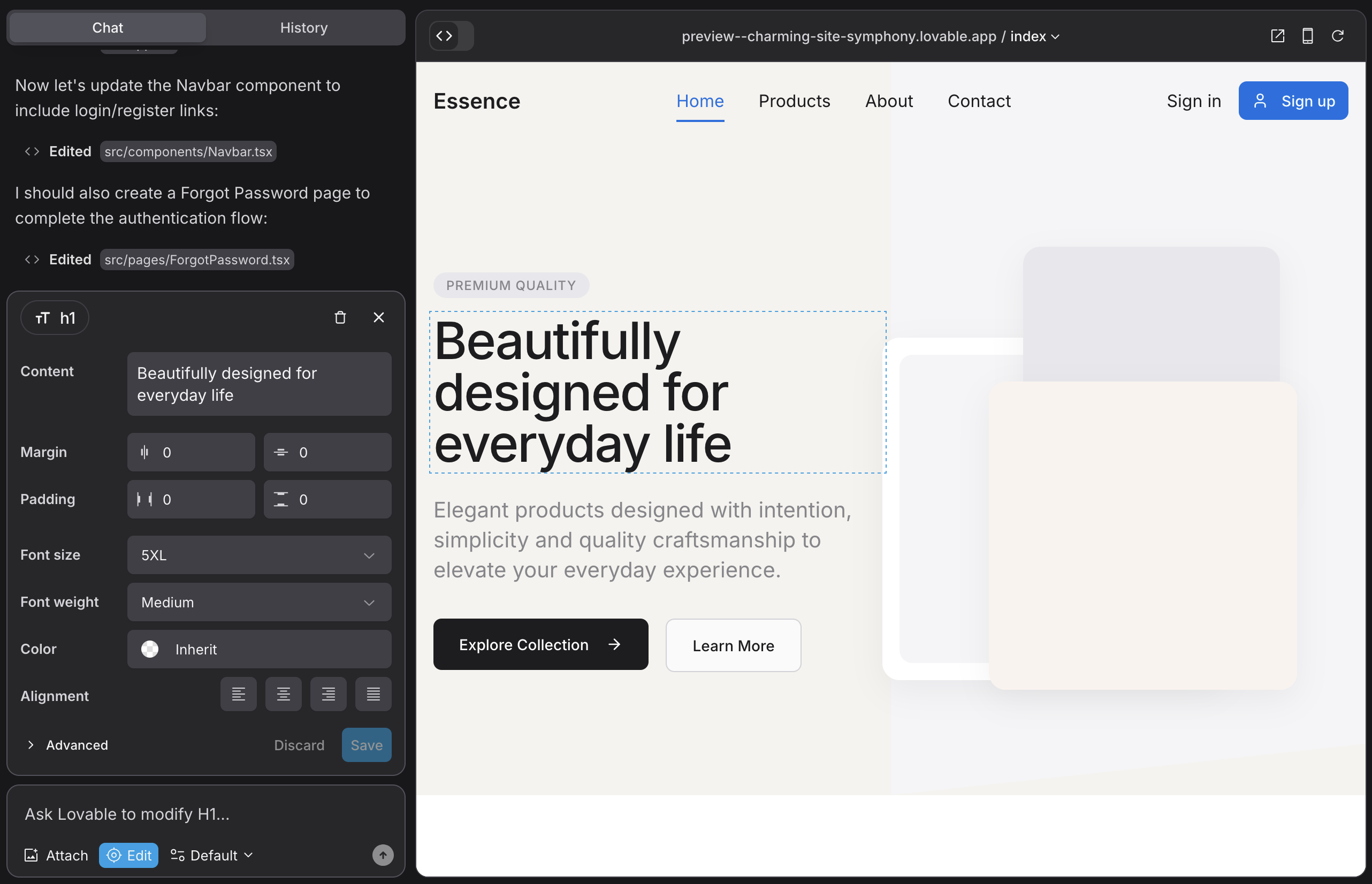
1. Stable JSX Tagging & Instant Cloud Dev Servers
When you start a Lovable project, an ephemeral dev server spins up instantly in the cloud. How this works is worthy of a whole post in itself. Basically, we continually host 4k+ instances on fly.io to serve Lovable projects, and at compile-time each JSX component our AI generates is tagged with a unique, stable ID using our custom Vite plugin. These stable IDs can persist across visual changes.
Our infrastructure orchestrates these containers in clusters across multiple regions, with each container running an isolated Node.js environment containing a full copy of your application code. This approach allows us to scale horizontally based on demand while maintaining consistent performance regardless of project complexity or user location.
When you visually select any DOM element in the app, we instantly trace it back to the exact JSX responsible for rendering it. This ensures precise bi-directional mapping:
- Visual to code: Clicking element → Matched to reliable JSX location
- Code to visual: JSX changes → Immediate reflected changes in UI
2. Client-Side AST and Tailwind Generation
We sync the project's code entirely into the browser, representing it as an Abstract Syntax Tree (AST), essentially an interactive, live data structure reflecting the entire application structure. Babel and SWC are both great libraries for this. There's a ton of cool things we can do once we have the AST client-side. For example:
- Safely make declarative changes to the source code
- Propagate changes to the DOM "optimistically" in real-time
- No need for network roundtrips when iterating
Theoretically, one could rely on Regexes for this functionality (which is kind of similar to how AST parsers work under the hood), but having the actual AST available allows us to make far more robust and maintainable code.
For example, consider updating a component's styling. Without AST parsing, we might resort to dangerous regex replacements:
// Dangerous approach without AST
function updateComponentStyles(fileContent, componentName, newStyle) {
  const regex = new RegExp(`<${componentName}[^>]*className="([^"]*)"[^>]*>`, 'g');
  return fileContent.replace(regex, (match, className) => {
    return match.replace(className, newStyle);
  });
}
This approach fails with nested components, complex JSX, or when components use dynamic expressions. With AST parsing, we can safely traverse the component tree and make precise modifications:
export function updateComponentStyles(ast, componentName, newStyle) {
  traverse(ast, {
    JSXElement(path) {
      const element = path.node.openingElement;
      if (element.name.name === componentName) {
        const classAttr = element.attributes.find(
          attr => attr.type === 'JSXAttribute' && attr.name.name === 'className'
        );

        if (classAttr && classAttr.value.type === 'StringLiteral') {
          classAttr.value.value = newStyle;
        }
      }
    }
  });
  return generate(ast).code;
}
It also makes some otherwise difficult things very easy, like extracting a JSX tree of all components:
export function toJSXTree(ast: t.File) {
  const tree: TreeNode[] = [];
  const elems = new Map<t.Node, TreeNode>();

  // Traverse the AST and build a tree of JSX elements
  traverse(ast, {
    JSXElement: (path) => {
      const node: TreeNode = {
        type: path.node.openingElement.name.name,
        children: [],
      };
      elems.set(path.node as t.Node, node);

      let parent: typeof path.parentPath | null = path.parentPath;
      while (parent) {
        if (parent.node && elems.has(parent.node as t.Node)) {
          elems.get(parent.node as t.Node)?.children.push(node);
          break;
        }
        parent = parent.parentPath;
      }

      if (!parent) tree.push(node);
    },
  });

  return tree;
}
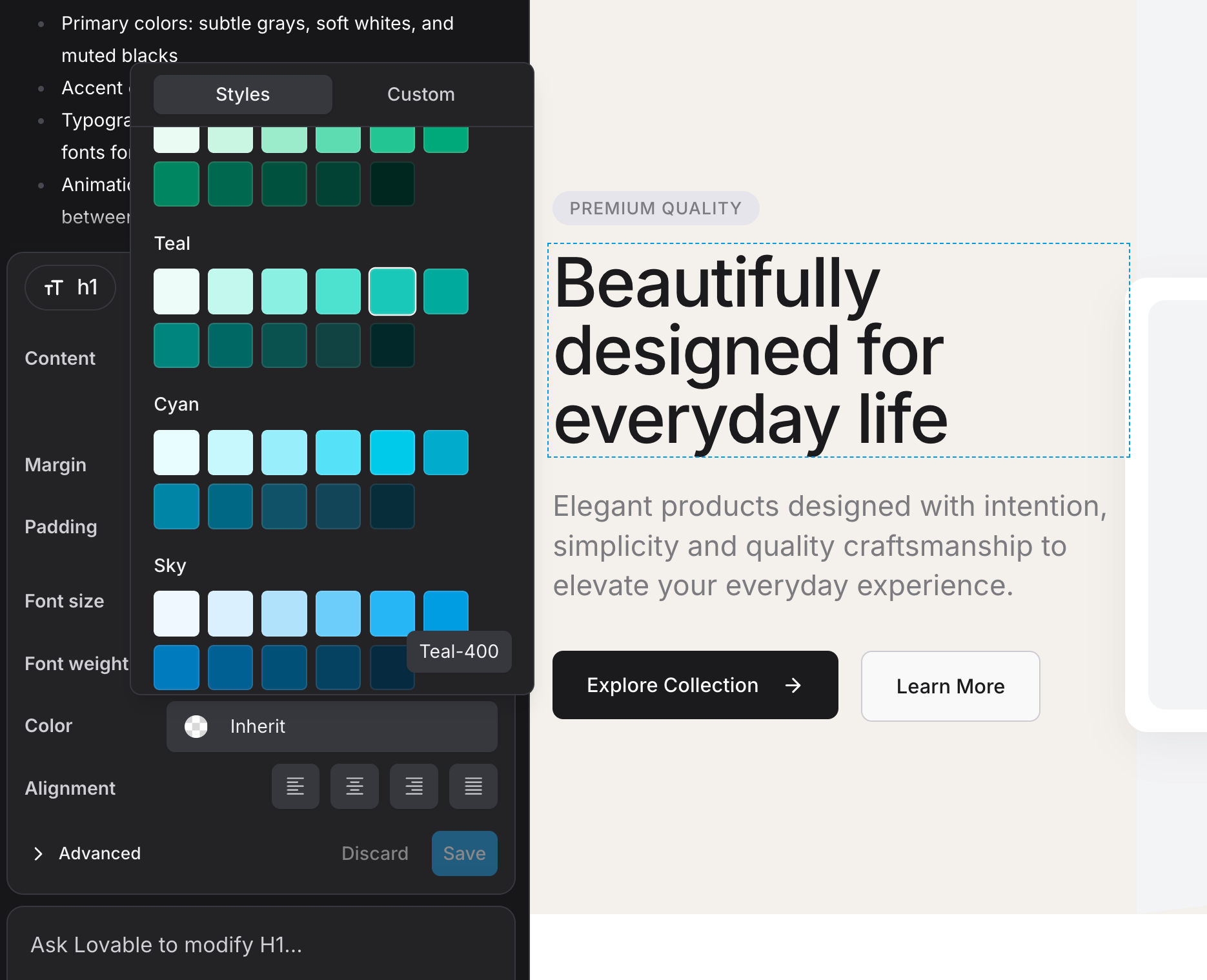
When you visually tweak a component by for example adjusting Tailwind classes, these changes are optimistically applied by a client-side Tailwind generator that intelligently reads your custom configurations. Even before hitting save, your visual edits are previewed exactly as they'd appear post-save, thanks to client-side AST mutations and instant Tailwind parsing.
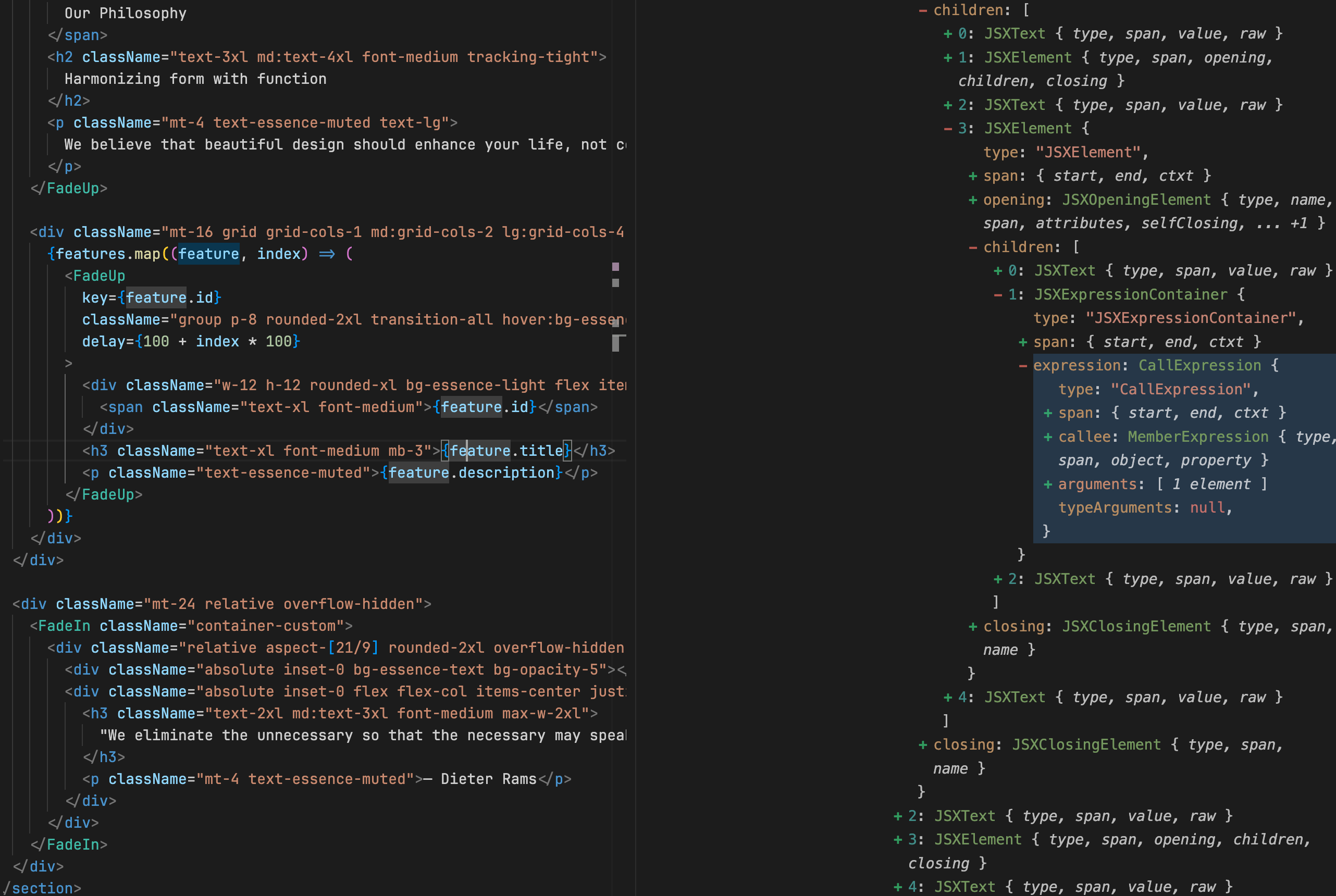
3. HMR
Thanks to Vite and our persistent Dev Servers, we can immediately trigger a Hot Module Replacement (HMR), refreshing the preview without ever needing an explicit page reload. Upon clicking save, a chain of events kicks off instantly:
- Generate clean, standard-compliant JSX/TSX from the modified AST
- Compute diffs to update only precisely modified lines
- Push changes securely to the cloud-hosted environment
- Immediately trigger a hot module replacement (HMR) event back to your session, refreshing the preview without ever needing an explicit page reload
This round-trip, from intuitive visual interaction to production-grade code, happens seamlessly in seconds - enabling developers and designers to iterate at speeds previously impossible without losing control over code quality.
Why does this matter?
Speeding up the iteration cycle isn't just about convenience—I've personally felt firsthand how it transforms the way we build products:
- Higher quality: When making small edits becomes effortless and instant, you're far more likely to experiment, tweak, and polish your UI until it feels perfect.
- Reduced mental strain: Every time I don't need to mentally simulate how a bit of CSS or component state might behave, it frees me up to focus more creatively and spend less time debugging.
- Better communication: With visual edits becoming a core part of our development workflow, designers and engineers naturally collaborate more closely. It's incredible seeing how intuitively everyone can participate in shaping the final product.
On the technical side, bringing Visual Edits to life pushed me to deeply integrate complex technologies like client-side AST handling, dynamic in-browser compilation, custom code generation, rapid cloud deployments, and fine-grained React component controls. If you're an engineer who loves tackling challenging, real-world problems, building this feature at Lovable has felt like the ultimate playground.
What's next
Launching Visual Edits has opened up some exciting possibilities. I'm already imagining how we can build on this foundation in the near future:
- Having real-time, persistent code editing experiences using a combination of AI and contextual user decisions.
- Allowing instant, app-wide theming.
- Surfacing essential tools without needing to go through external services and tools.
I'm really looking forward to seeing the impact these ideas will have on the experience of building apps as a whole.
Future
I really enjoyed working on this, and we're currently hiring. So contact me if this sounds exciting to you and you want to join us.
Also check us out at Lovable.dev or drop me a message directly if you'd like to learn more.
Keep reading